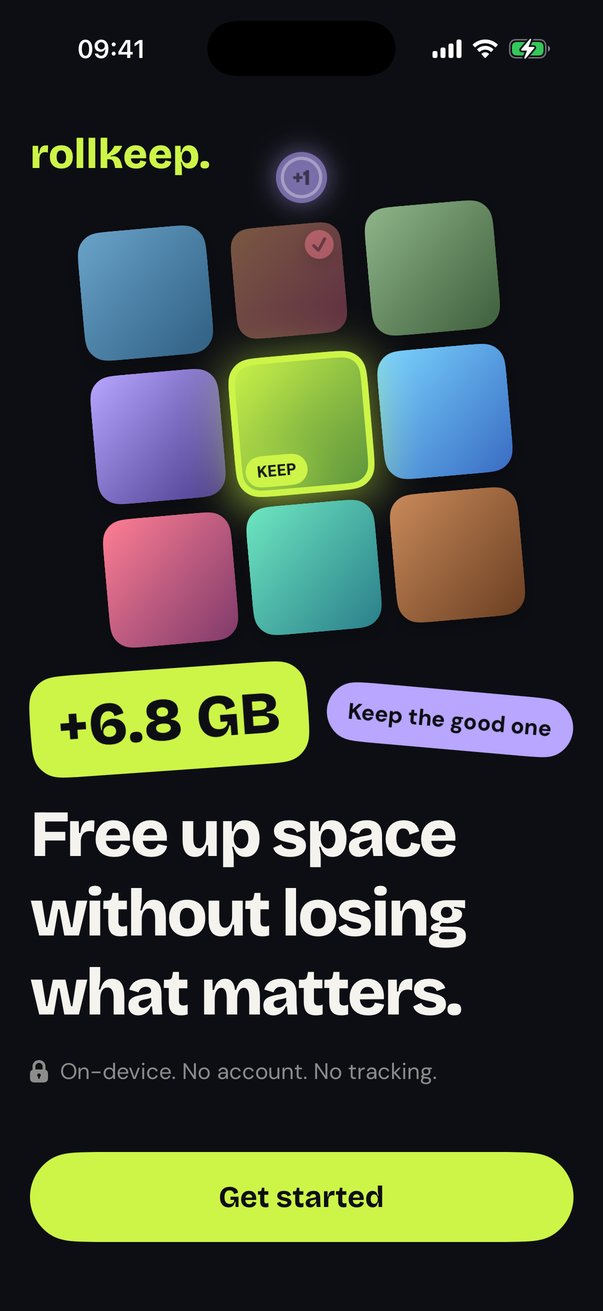
Free up space without losing what matters.
RollKeep finds similar shots, blurry photos, screenshots and huge videos, keeps the best of each, and lets you clear the rest in minutes. It all runs on your iPhone, and nothing is deleted until you say so.
Free to download · Swipe mode free forever · iPhone with iOS 18 or later
- Scans on your iPhone
- No account, no uploads
- Every deletion needs your OK
- No weekly subscriptions
Three steps. About two minutes.
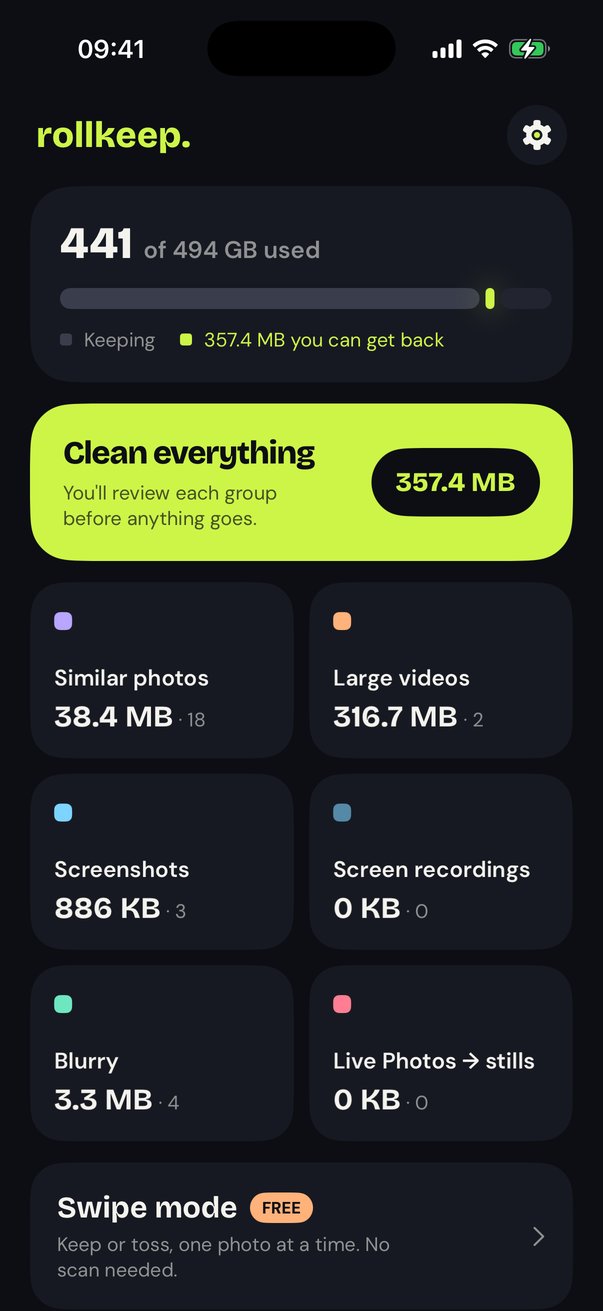
Scan
RollKeep looks through your library for similar shots, screenshots, blurry photos and huge videos, right on your phone.
Review
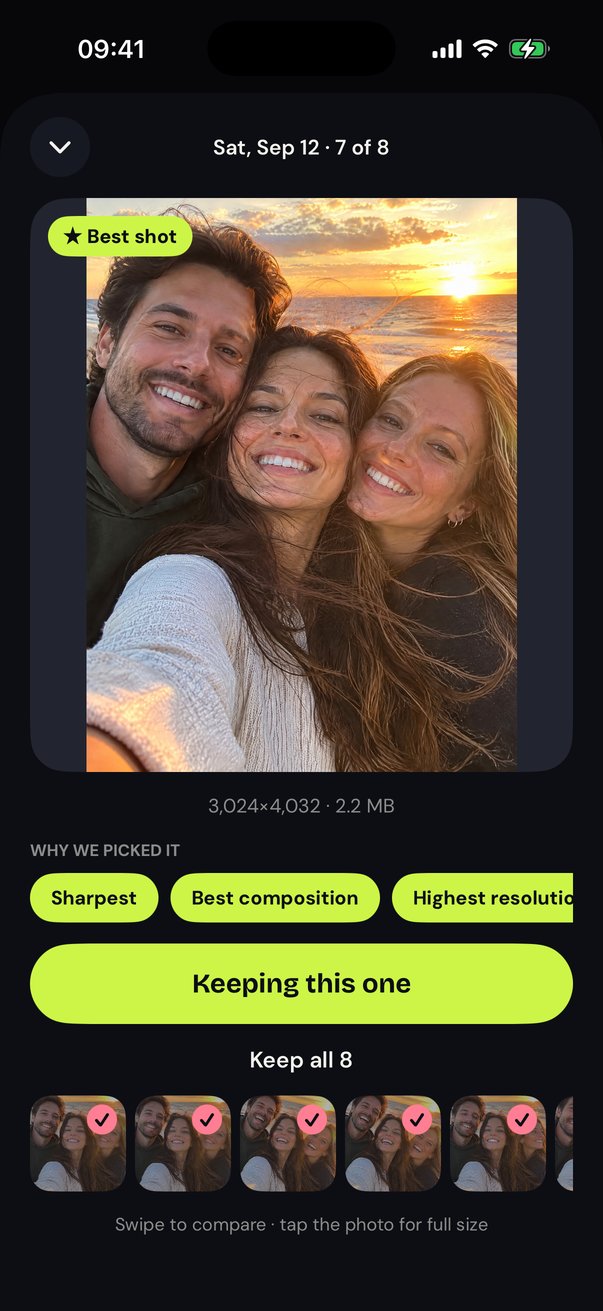
We pre-pick the best shot in each group and explain why. You approve every deletion.
Free space
Watch the number go up. RollKeep checks your real free space afterwards, so you see gigabytes back, not a guess.
Similar photos
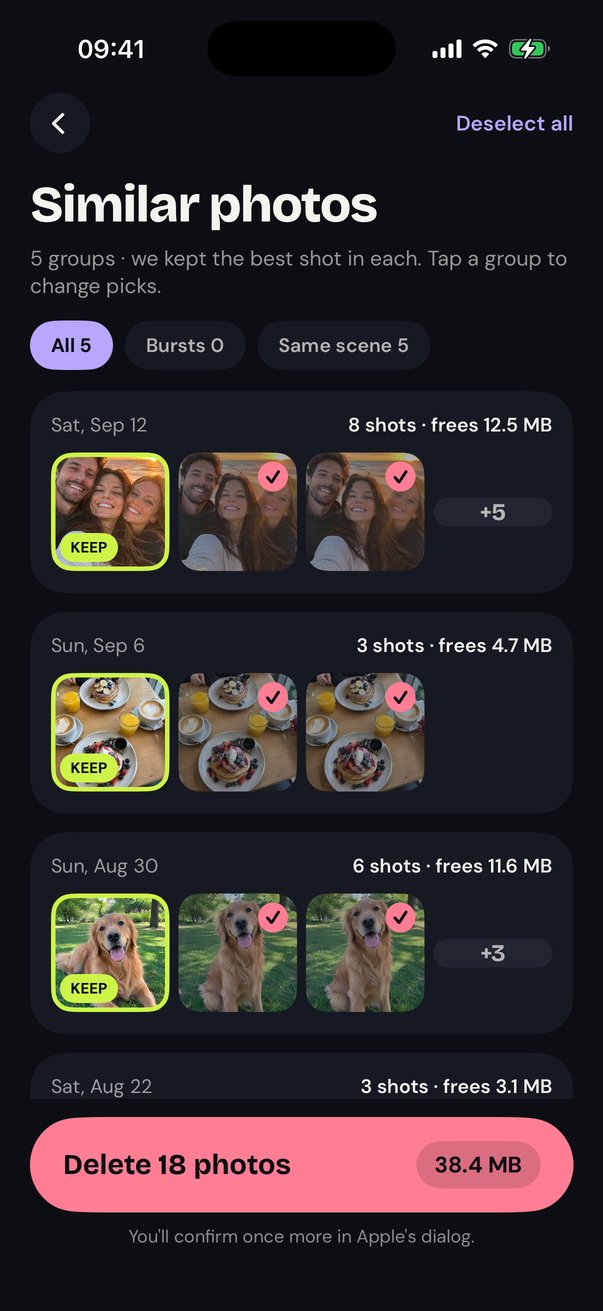
Ten takes of the same pose? We keep the best one, and tell you why.
Bursts and near-identical shots are grouped automatically. The keeper is chosen for sharpness, faces and composition, and every pick is yours to change.
- Careful by default: memes on the same template and edits of one photo stay separate
- Favorites and albums you protect are never touched
- Blurry photos are split into "definitely blurry" and "maybe on purpose", and only the first is pre-selected
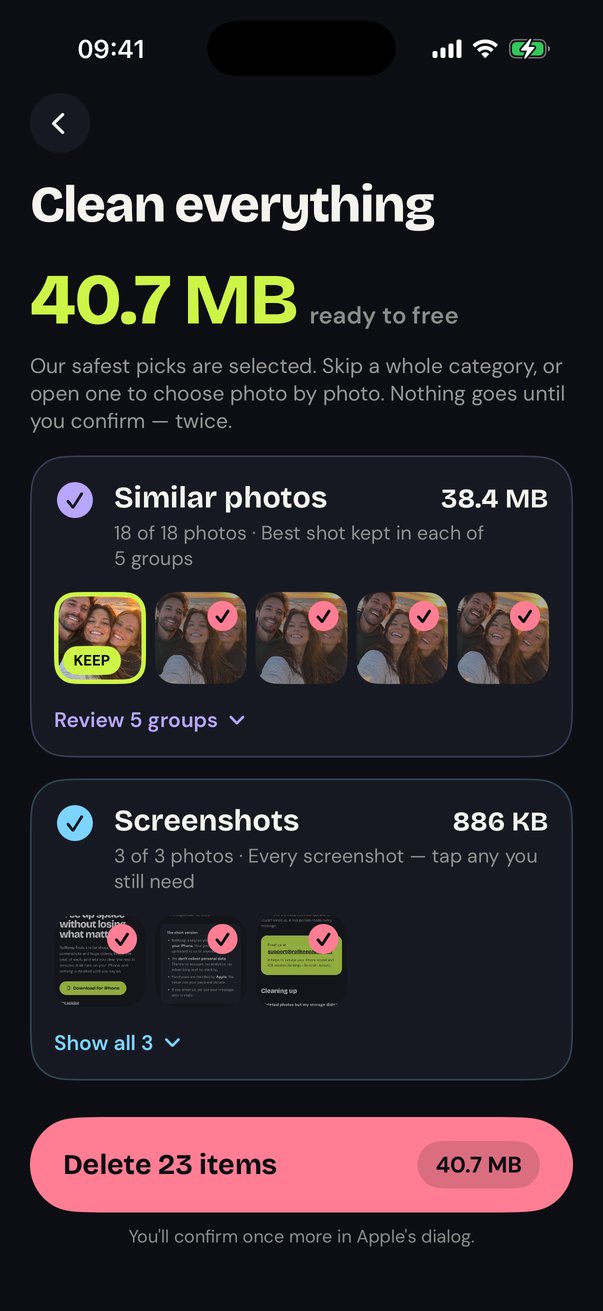
Clean Everything
Every category, one screen, one confirmation.
The safest picks across similar photos, screenshots and blurry shots are ready to go. Each category says why it's safe. Skip one whole, or open it and choose photo by photo.
Keepers shown first
You see exactly what stays before anything goes.
Big decisions stay separate
Large videos and Live Photos get their own screens.
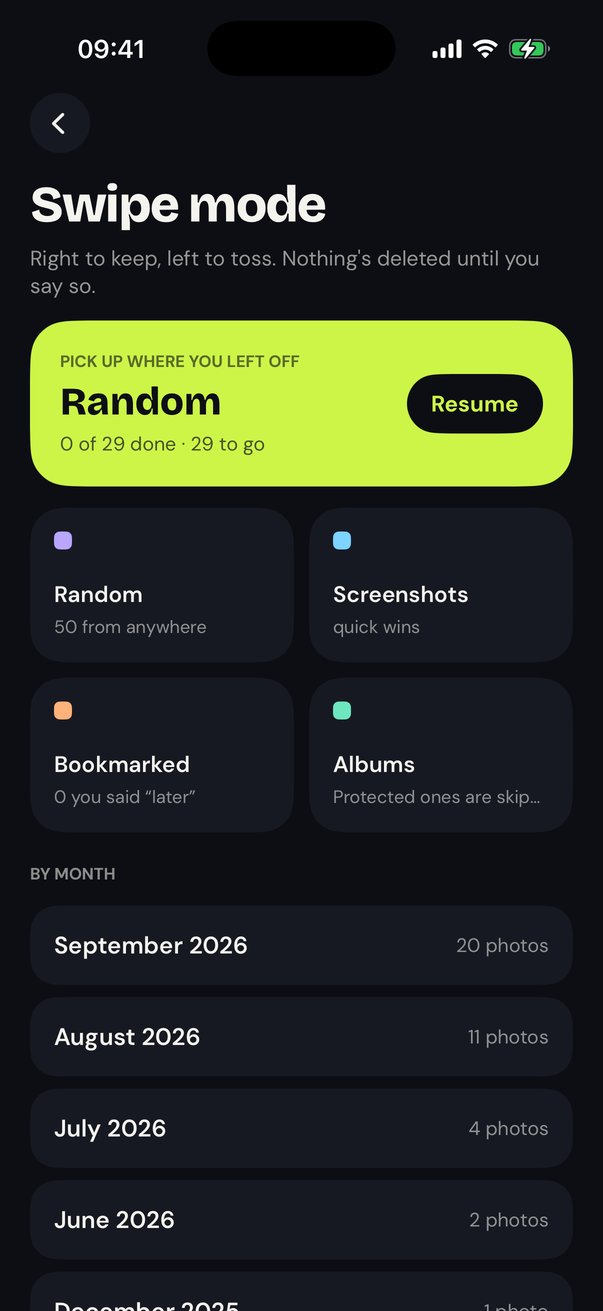
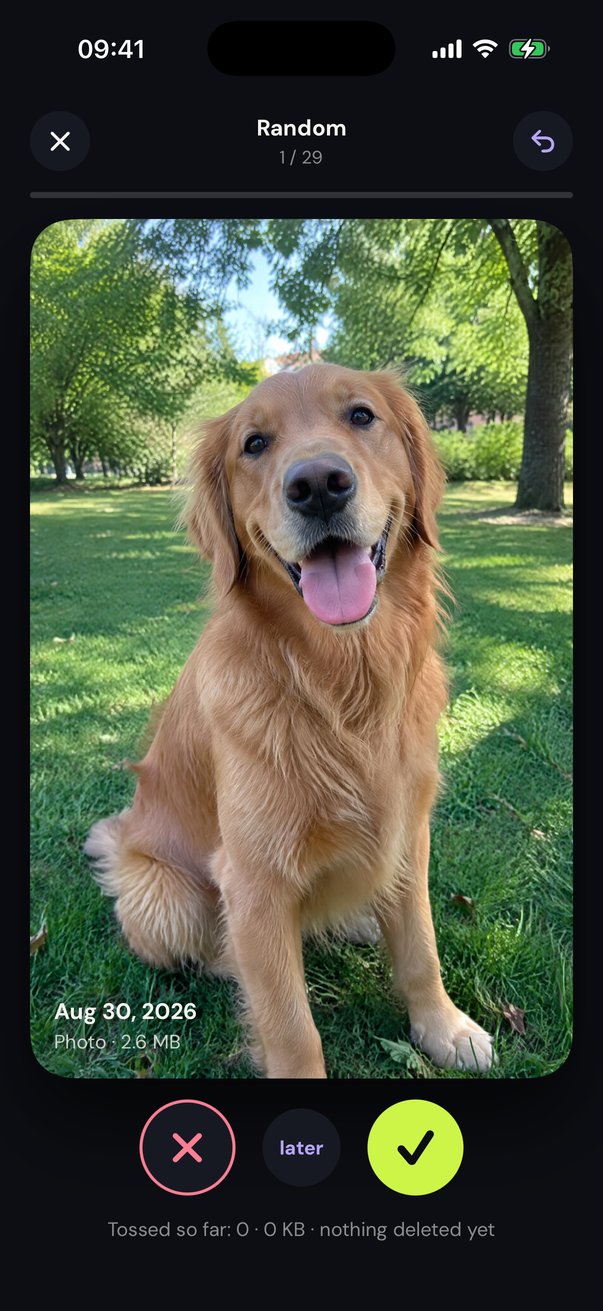
Swipe mode. Right to keep, left to toss.
Go through your library one month at a time. Undo anything, save the maybes for later, and pick up exactly where you stopped. Nothing is deleted until you review the stack.
No subscription needed, ever. It's the whole app for people who like to do it by hand.
Deleted isn't gone yet. We tell you.
iPhone keeps deleted photos in Recently Deleted for 30 days, so your storage won't change right away. RollKeep walks you through emptying it, then checks your real free space and shows the verified number.
STEP 1
Delete in RollKeep
Apple's own dialog confirms it. Photos move to Recently Deleted.
STEP 2
Empty Recently Deleted
We show you where, or you keep the 30-day safety net. Your call.
STEP 3
See verified space back
RollKeep measures your free space before and after. Real gigabytes, not an estimate.
What RollKeep will never do
- Fake "speed boost" or cache cleaningiOS doesn't let apps do this. Apps that claim to are pretending.
- "Storage almost full!" alarmsCalm numbers, no red warnings, no pressure.
- Battery doctors or virus scansOnly features that actually work on an iPhone.
- Weekly subscriptions or hidden close buttonsEvery price in full. The close button is there from the first frame.
- Upload your photosNo account, no servers looking at your library, no ad trackers.
- Delete anything without youYour tap, then Apple's confirmation, then a 30-day safety net.
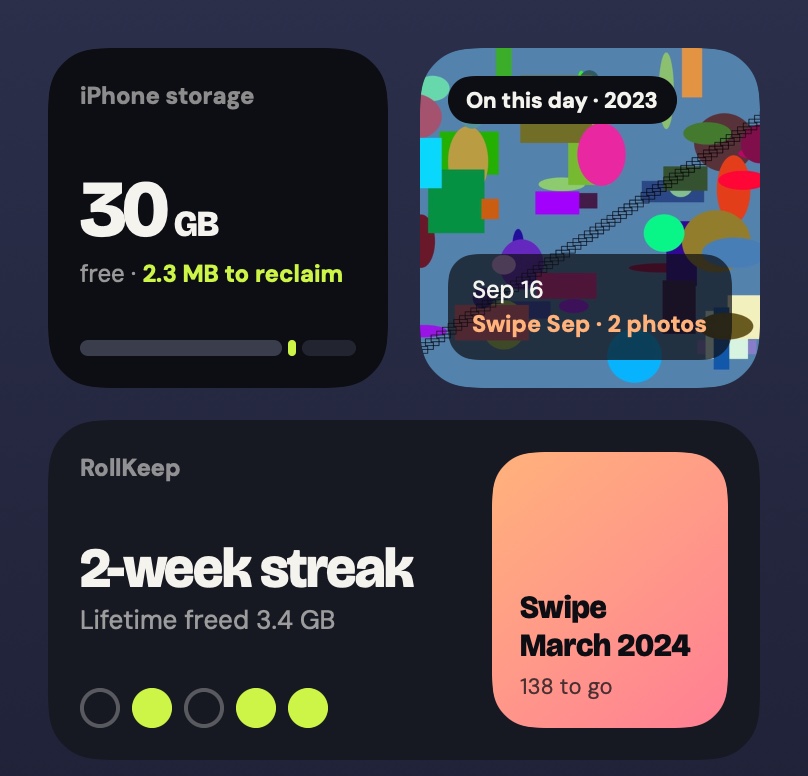
Home Screen widgets
A tidy phone, at a glance.
Storage shows free space and how much RollKeep can give back.
On This Day brings back a photo from years ago and opens that month in Swipe mode.
Streak keeps your weekly tidy going and picks up your last stack.
Pricing
RollKeep Plus adds similar-photo detection with best-shot picking, Clean Everything, blurry and Live Photo cleanup, and video compression.
$0
Forever
Swipe mode · full library scan · screenshots, screen recordings and large video cleanup · widgets
$4.99
One payment · 72 hours of Plus
For one big cleanup. Everything unlocks right away and ends on its own. Nothing to cancel.
$29.99/yr
$2.50/month, billed yearly
For keeping your library tidy all year. The first charge date is shown before you start. Cancel anytime.
$59.99
Pay once
Every Plus feature, yours to keep. No subscription at all.
Prices in USD. The App Store shows your local price. No weekly plans, ever.
Questions
Do my photos leave my phone?
No. Scanning uses Apple's on-device Vision framework. There's no account, no upload and no analytics. Privacy policy
Why hasn't my storage changed yet?
Deleted photos sit in Recently Deleted for 30 days. RollKeep shows you how to empty it and confirms the space you got back.
Will it delete anything without asking?
Never. Every deletion needs your tap and Apple's own confirmation, and lands in Recently Deleted first.
How is this different from Apple's Duplicates album?
Apple finds exact duplicates. RollKeep also groups near-identical shots, picks the best one, finds blurry photos and compresses big videos.
My photos live in iCloud. Does it still help?
Yes, and RollKeep is upfront that deleting mostly frees iCloud space. It shows both numbers: iCloud and this iPhone.
How do I cancel?
Settings › your name › Subscriptions. The Clean Pass and Lifetime never renew, so there's nothing to cancel. More help on the support page.
Get your space back.
Keep what matters.
Free to download. Swipe mode free forever.